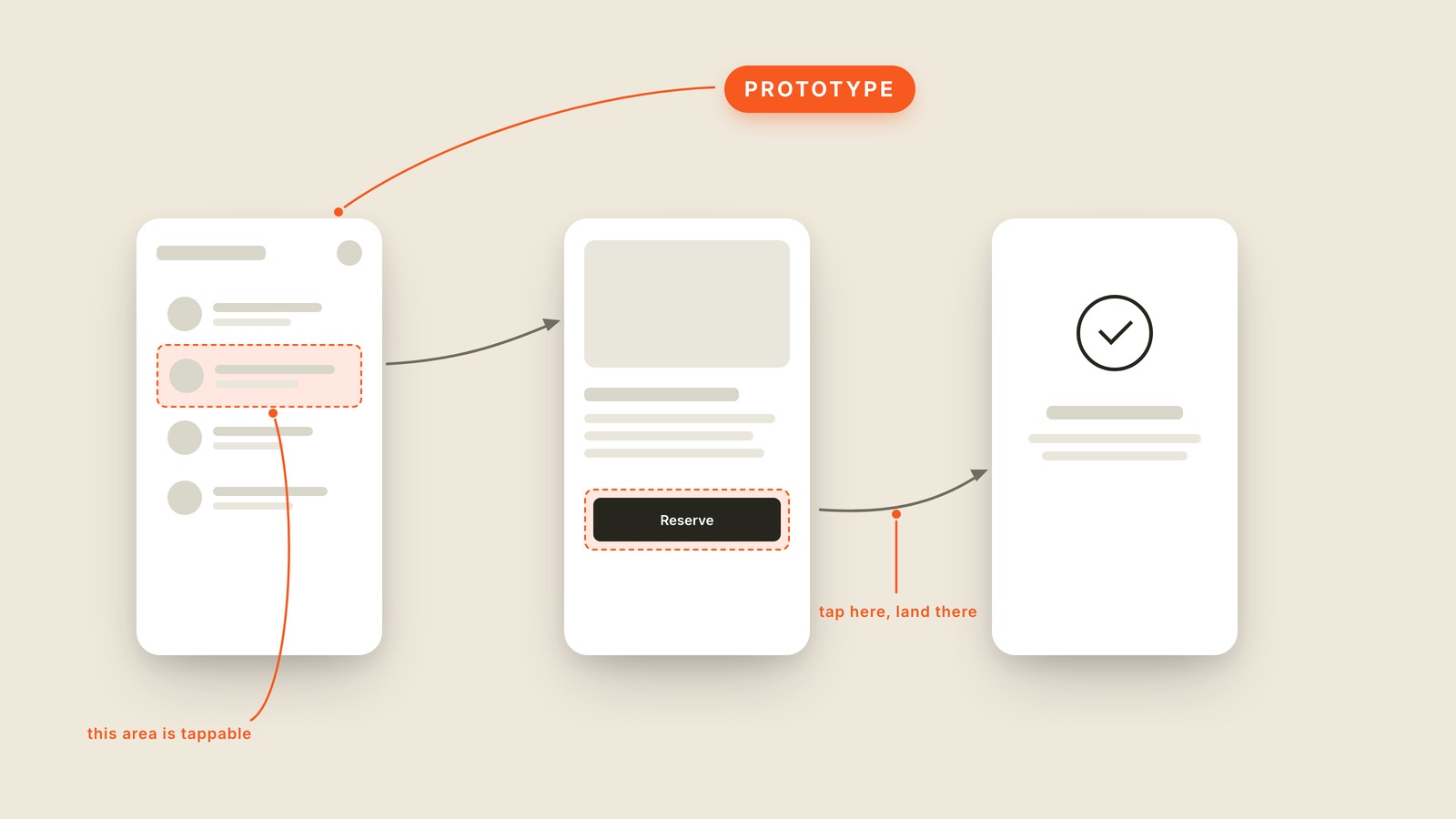
Fig. 55 / Prototype
UX & Process
Prototype
EXPLAINED SIMPLY:A prototype is a clickable fake of a product, real enough to tap through and test, built before the actual product exists.
A prototype is a clickable fake of a product, real enough to tap through and test, built before the actual product exists. Tap a listing, land on the detail screen, hit Reserve, see the confirmation. None of it is real.
Under the hood it's screens stitched together with invisible hotspots: this area is tappable, and tapping here lands you there. No code, no database, nothing saves. Most prototypes live in Figma these days, and a good one is convincing enough that people forget they're holding a stack of linked pictures.
That's the value. A prototype lets you watch someone fail to find the button before the button has cost anyone engineering time. Changing a prototype takes an afternoon. Changing shipped software takes a sprint and an apology.
It's the last of the three fakes a design passes through: a wireframe is the rough sketch of what goes where, a mockup is the finished-looking picture, and a prototype is those mockups wired together so you can move through them. A prototype is a movie set: the storefront looks real, and there's nothing behind the door.
You'll also hear "clickable prototype" and "interactive prototype," which are the same thing said with more syllables, and "prototyping" for the activity of building one.
When you want to find out whether people can use the thing before the thing exists, ask for a prototype.