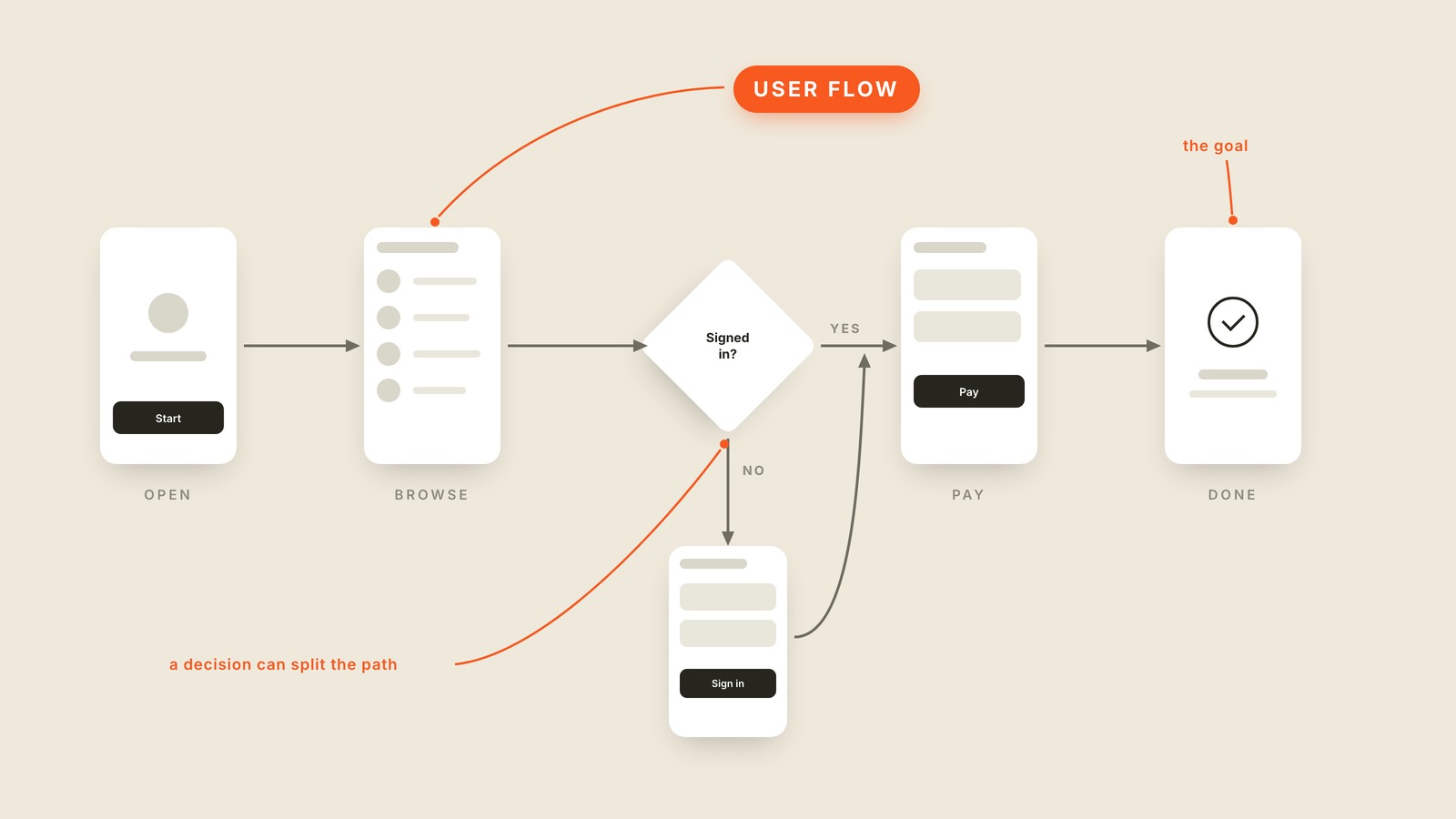
Fig. 58 / User Flow
UX & Process
User Flow
EXPLAINED SIMPLY:A user flow is the step-by-step path a person takes through a product to finish one job, drawn as screens or boxes connected by arrows.
A user flow is the step-by-step path a person takes through a product to finish one job, drawn as screens or boxes connected by arrows. Open the app, browse, sign in if you must, pay, done.
One flow covers one job: buy the thing, book the table, reset the password. The interesting part is the diamond in the middle, the decision point where the path splits. Signed in? Yes goes straight to payment. No takes a detour through a sign-in screen before rejoining the road. A flow that only draws the happy path is a work of fiction, because real people arrive signed out and mistype their passwords.
Drawing the flow makes one thing visible that individual screens never show: how long the trip really is. Each screen can be lovely on its own while the path through them is a slog. Every arrow in a user flow is a place where somebody can give up, which is why teams that draw them start counting steps.
Some flows matter more than others. Onboarding is the flow every single user walks through, and checkout is the one that pays the rent. Those two deserve to be drawn first and shortened often.
You'll also hear "task flow," "flow diagram," and "user journey." A journey map technically adds emotions and offscreen steps, but in most meetings the words get used interchangeably.
When you want the whole path on one page instead of one screen at a time, ask for the user flow.