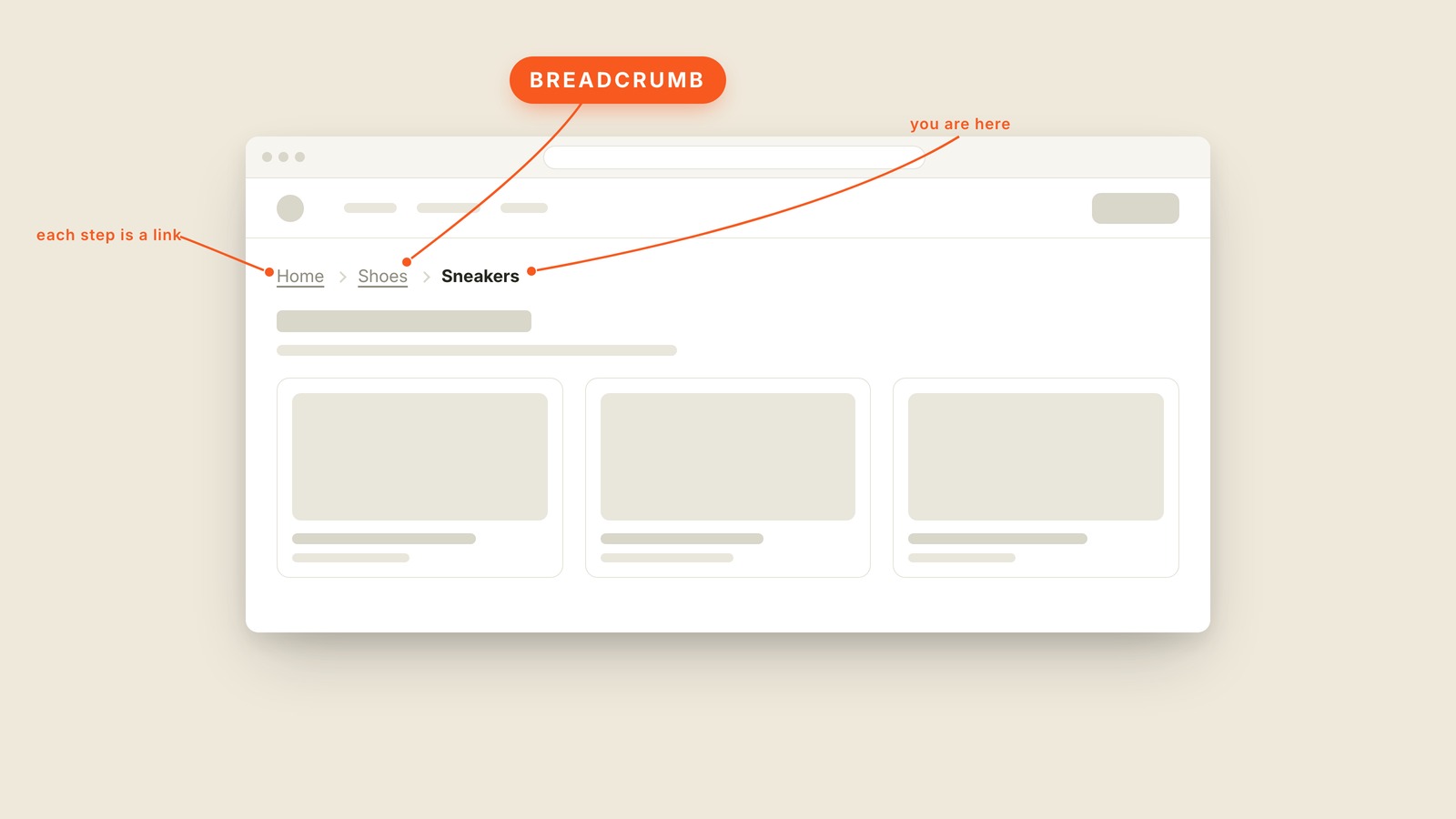
Fig. 19 / Breadcrumb
Web UI Patterns
Breadcrumb
EXPLAINED SIMPLY:A breadcrumb is the trail of links near the top of a page that shows where you are in a site, like Home, then Shoes, then Sneakers.
A breadcrumb is the trail of links near the top of a page that shows where you are in a site, like Home, then Shoes, then Sneakers. Every big store has one sitting above the products.
The name comes from Hansel and Gretel, who dropped breadcrumbs to find their way back through the woods. The job hasn't changed. A breadcrumb answers two questions at once: where am I, and how do I get back up a level.
Every step in the trail is a link except the last one, because the last step is the page you're already standing on. In the picture, the trail sits above a grid of product cards: Home and Shoes are underlined links, and Sneakers is plain bold text. If your current page links to itself, something has gone slightly wrong. The little arrows between the steps are chevrons.
Breadcrumbs pay off on deep sites: stores, documentation, anything with categories nested inside categories. A five-page site doesn't need one; that's hanging trail markers in a studio apartment. They also quietly tell Google how the site is organized, which is the other reason they're everywhere.
You'll also hear "breadcrumbs," "breadcrumb trail," and the formal "breadcrumb navigation." Same trail.
When people land deep in your site from a search and have no idea where they are, ask for a breadcrumb.