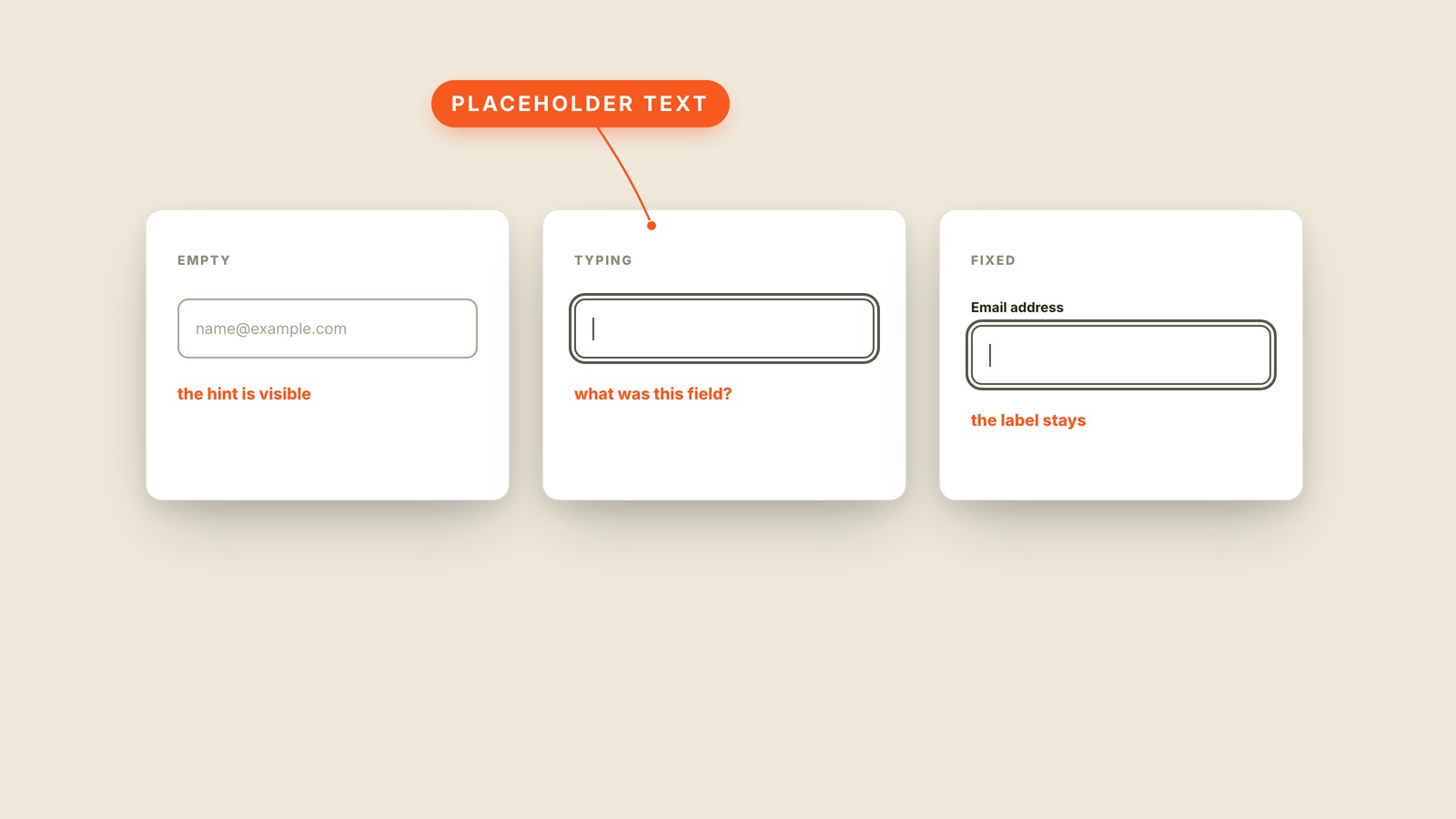
Fig. 33 / Placeholder Text
Web UI Patterns
Placeholder Text
EXPLAINED SIMPLY:The form hint that disappears when typing starts.
Placeholder text is the pale example or hint inside an empty form field that disappears as soon as someone starts typing.
It can show a useful format, such as name@example.com, but it cannot replace the label above the field. The moment typing begins, the hint vanishes and the user has to remember what the box was asking for. A disappearing instruction is not a label.
The problem gets worse when a form is interrupted. Return to a half-finished page and three filled boxes may contain a name, a company, and an account handle with no visible clue which is which. Pale text also tends to fail contrast, so some readers never see the hint at all.
You'll hear placeholder, ghost text, hint text, input hint, and form placeholder. Lorem ipsum is filler text used to occupy a layout; placeholder text belongs inside an input and has a real job. Microcopy is the wording someone chooses for that job.
Keep the permanent label visible and let the placeholder demonstrate the answer. If the instruction matters after typing starts, move it outside the box. A field should never forget its own name before the user does.